PDV — Physics Data Viewer
A desktop environment for computational and experimental physics analysis.
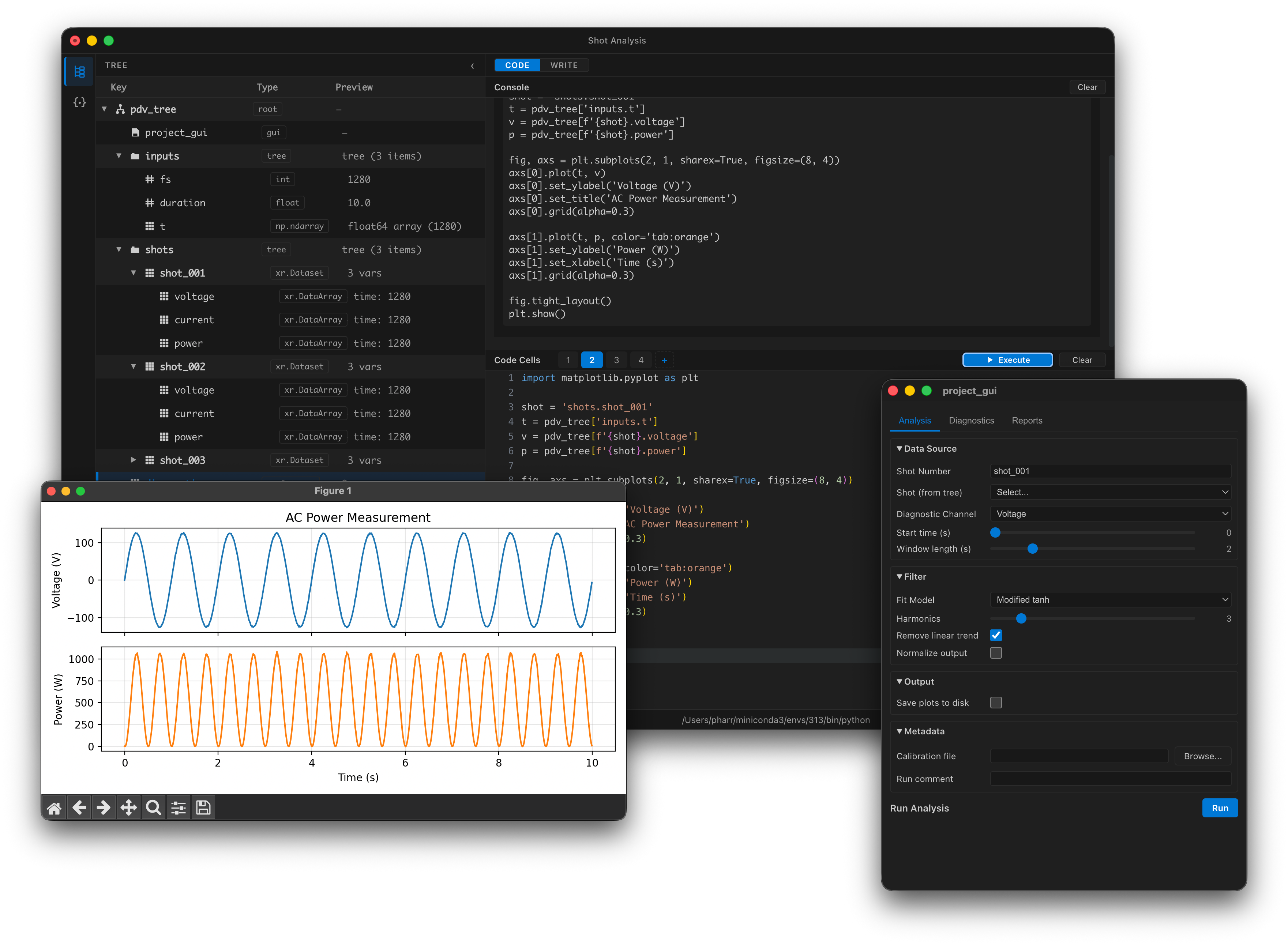
PDV combines a tabbed Jupyter code cell editor, an execution console, and a persistent, typed data hierarchy, the Tree, that lives inside a Python kernel. The Tree is what separates PDV from a Jupyter notebook: a navigable, save/load-able data structure that persists across sessions, giving you structured data management and reproducible analysis workflows across sessions and projects.
Beta software
PDV is under active development. Features documented on this site are expected to remain stable, including project file formats, but APIs and project file formats may still change between major versions.
Why PDV?
Physics analysis tends to sprawl: raw data in scattered files, derived results in notebook cells, one-off scripts for every plot. PDV gives you the interactive kernel of Jupyter with a persistent tree for organizing inputs and outputs, and a project-oriented workflow.
- Environment-independent. Unlike OMFIT, PDV runs independently of a Python environment. Pick your own packages and Python version, and share projects without dependency headaches.
- Easy install. No complicated platform-dependent setup. Runs on macOS and Linux out of the box, with Windows support planned.
- Scripts and Modules. Package and re-use complex analysis stacks.
- Live GUI builder. Set up user-friendly interfaces for scripts and parameter studies without writing UI code.
- Modern web-app foundation. Built with the same tech as VS Code, Slack, and JupyterLab. Responsive interface that does not hang while your code runs, and does not crash when your code crashes.
- Familiar to OMFIT users. Similar mental model, but with a modern interface designed for both local and remote execution, and a more flexible environment model for a wider variety of workflows.
- Persistent tree object. Persist script inputs and outputs so you can save and reload your work without file-management gymnastics or wiping your namespace.
Download the latest release Get started →
Features
-
Persistent data tree
Hierarchical, typed, lazy-loaded data model inside the kernel. Arrays, DataFrames, scalars, scripts, notes, and modules all in one place.
-
Tabbed code editor
Monaco-powered editor with syntax highlighting, Jupyter-backed autocomplete, hover documentation, and multi-tab workflow.
-
Execution console
Real-time streamed output, inline plots, rich display, and error rendering — the feel of a notebook without its filesystem sprawl.
-
Scripts and parameters
Reusable analyses stored as tree nodes. Typed parameters, a run dialog, and results that go back into the Tree.
-
Modules
Share complete analysis stacks — library code, GUIs, namelists, custom type handlers — as installable packages.
-
Editable GUIs
Live drag-and-drop interface builder for configuring parameter studies without writing a UI.
-
Namelist editor
Structured editing for Fortran namelists and TOML configuration files, bound directly to tree nodes.
-
Markdown notes
Notes with LaTeX math rendering, stored in the Tree alongside data.
-
Project save/load
Serialize the complete analysis state — tree, scripts, notes, attached files — into a portable directory.
Get involved
PDV is developed openly. Bug reports, feature requests, and contributions are all welcome.
- Report a bug or request a feature: open an issue on GitHub.
- Request commit access or propose a contribution: email matthew.pharr@columbia.edu with a short note about what you'd like to work on, or start a GitHub discussion.
- See the roadmap: PLANNED_FEATURES.md lays out features organized by release milestone.
If you're ready to dive into the code, the Developer Guide covers the architecture, setup, and testing workflow.